
Top 5 Non-Negotiable Ways to Boost Your API Performance and Reduce Latency
These five techniques are not optional; they are foundational elements of a modern, scalable API architecture. Implementing them systematically is a powerful way for your engineering team to take control of latency and deliver a superior product experience.
19
Jun


In the world of modern software, the API is the product. Slow, unreliable APIs don't just frustrate users; they actively cost businesses revenue and destroy developer trust. High performance is no longer a luxury—it’s a fundamental requirement for scaling and user retention.
Achieving sub-100ms response times requires a holistic approach, touching on everything from database interaction to network transmission.
Here are the top five most impactful, common, and essential techniques senior engineering teams use to drastically reduce latency, minimize resource overhead, and future-proof their web services.First impressions are everything
The moment a visitor lands on your site, they subconsciously decide whether they trust you. A polished, professional design creates instant credibility. Clean layouts, modern typography, and cohesive visuals tell people you care about quality — and that builds trust. And trust is the first step toward any conversion.
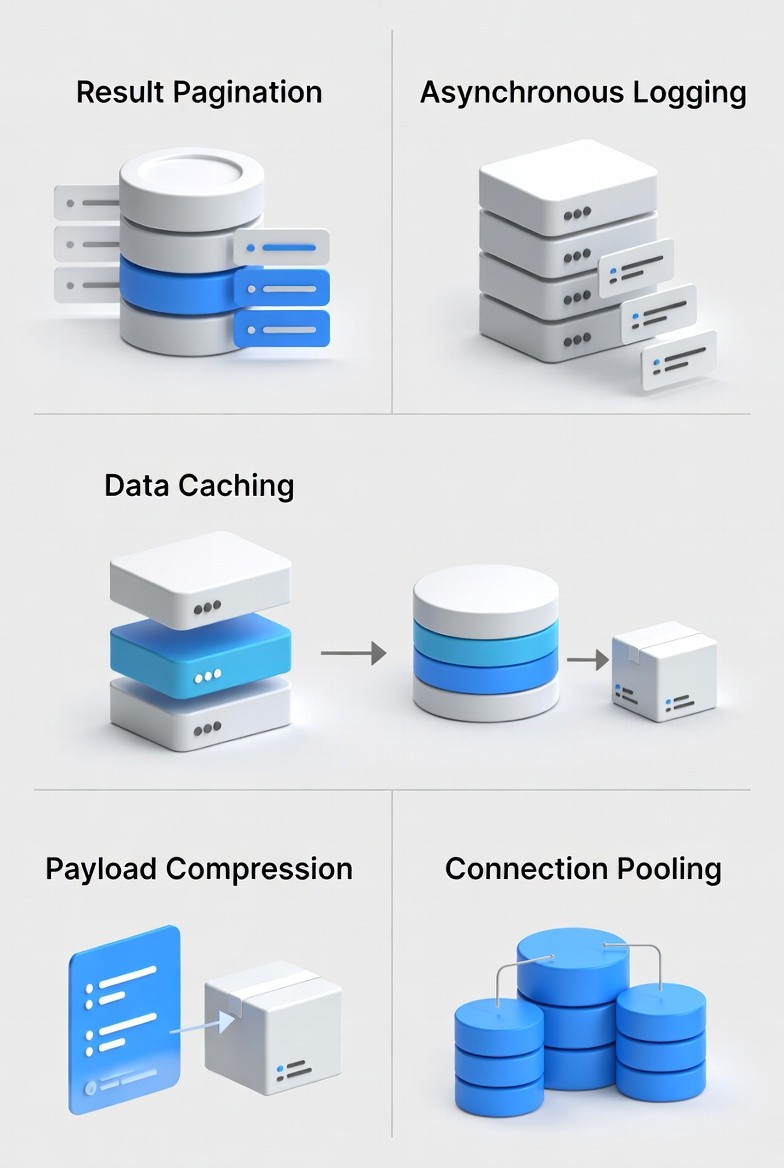
Result Pagination: Handling Large Datasets Gracefully
When dealing with large volumes of data—think thousands of user records, detailed logs, or extensive product lists—streaming the entire dataset in a single API call is an immediate bottleneck. It hogs bandwidth, delays the initial response, and risks timeouts.
The Solution: Implement Result Pagination.
This technique involves breaking down large result sets and streaming them back to the client in manageable chunks (pages).
How it works: The client requests a specific "page" or "slice" of data, typically using parameters like
limit(the number of items per page) andoffset(where to start) or cursor-based keys for highly efficient relational database lookups.Performance Benefit: It drastically improves service responsiveness by reducing the amount of data processed and transmitted per request, leading to faster Time-to-First-Byte (TTFB) and a smoother user experience.
Asynchronous Logging: Stop the Disk from Slowing You Down
Logging is mission-critical for debugging, monitoring, and security. However, synchronous logging—where the application waits for log data to be written to the physical disk (I/O operation) before proceeding—can introduce significant latency into every single API call.
The Solution: Switch to Asynchronous Logging.
Instead of waiting on slow disk I/O, the logging framework immediately sends the log data to an in-memory, lock-free buffer and returns control back to the thread.
How it works: A separate, background thread periodically flushes the collected logs from the buffer to the disk.
Performance Benefit: It completely decouples your API’s execution path from the slow I/O subsystem, significantly reducing latency for the end-user request while still maintaining a robust logging trail.
Data Caching: The Essential Layer for Read Performance
The single biggest performance drain for most APIs is repeated database access for frequently requested data. Every database query, no matter how optimized, involves network trips, query parsing, and disk access.
The Solution: Integrate a Data Caching Layer.
By storing frequently accessed, relatively static data in a fast, dedicated cache, you bypass the database entirely for common reads. Tools like Redis or Memcached are popular because they store data in-memory, offering retrieval speeds orders of magnitude faster than disk-based databases.
How it works: Before querying the primary database, the API checks the cache. If the data is found (a "cache hit"), it's returned immediately. If not (a "cache miss"), the API queries the database, updates the cache, and then returns the result.
Performance Benefit: Dramatically speeds up data retrieval and shields your database from unnecessary load during traffic spikes.
Payload Compression: Optimizing Data Transfer Over the Wire
Network latency is a persistent challenge, especially for mobile users or those with slower connections. The more data you send across the wire, the longer the request-response cycle takes.
The Solution: Enable Payload Compression for HTTP traffic.
This standard practice involves compressing the request and response bodies (using algorithms like gzip or Brotli) before transmission and decompressing them at the client's end.
How it works: The server (often handled automatically by the load balancer or web server like Nginx) compresses the response payload. The client, signaled by the
Accept-Encodingheader, automatically decompresses it.Performance Benefit: By reducing the total size of data transmitted, compression cuts down on network latency and data consumption, making both the upload and download processes quicker.
Connection Pooling: Efficient Database Resource Management
Opening and closing a connection to a database is an expensive, resource-intensive operation. For high-traffic APIs that handle hundreds of requests per second, repeatedly initiating new connections creates significant overhead and slowdowns.
The Solution: Utilize Connection Pooling.
A connection pool is a managed library that keeps a set of database connections open and ready to use. When a request needs to interact with the database, it simply "checks out" an existing connection from the pool.
How it works: The pool manages the lifecycle of a set number of connections. When an API request finishes its database work, it returns the connection to the pool instead of closing it, making it immediately available for the next request.
Performance Benefit: This eliminates the latency and CPU cycles associated with connection setup and teardown, leading to highly efficient resource utilization and much faster response times under load.